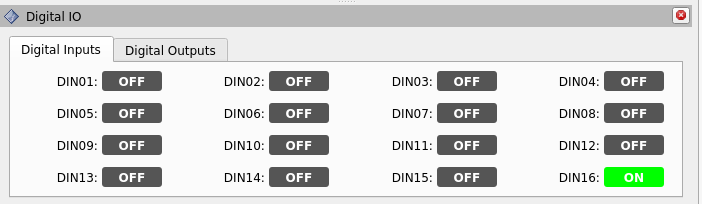
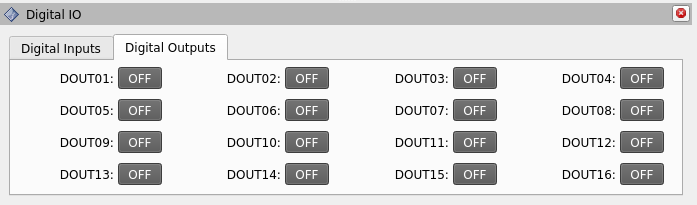
@John_Morris Apologies for the delay but I got tied up with other things. I finally implemented the RViz panel that shows the digital i/o. I generated a PR. For others watching, here are a couple of screenshots of the UI:
@futnuh Wow, helluva PR! Here’s the link for those watching:
Your IO panel screenshots look great.
I’ve only had a quick look, but your code looks great too, nicely done! We can continue the discussion of merging the PR there, but I’m betting we can merge it without much change.
Also, your panel could easily be generalized for use with any ROS robot that presents IO pins as ROS topics. It almost seems a shame to hide it away in the ZA6 repo. Consider announcing it on the ROS Discourse, and hosting it on your own GitHub so the ROS community can find it more easily. If you wanted to go that way with it, we could pull your package into the ZA6 project with a link from the repos.yaml and some type of integration into the za6_bringup package.
Thanks so much for the PR. Yeah, things are a lot different for kids today, compared to when I was a kid, sitting at the Sun workstation and cribbing from my copy of K&R.
@John_Morris I just created a PR that implements the safety (quick) stop functionality that was present in the ROS1 system. The PR has a markdown description that gives the details. I verified that this works on my robot (with the older servos). Might be good to have someone test it on newer model servos. It might be that they need to plug into /din12 given that:
EtherCAT digital input IS620N: lcec.0.6.din-15 → hal_io.digital_in_16
EtherCAT digital input SV660N: lcec.0.2.di5 → hal_io.digital_in_12
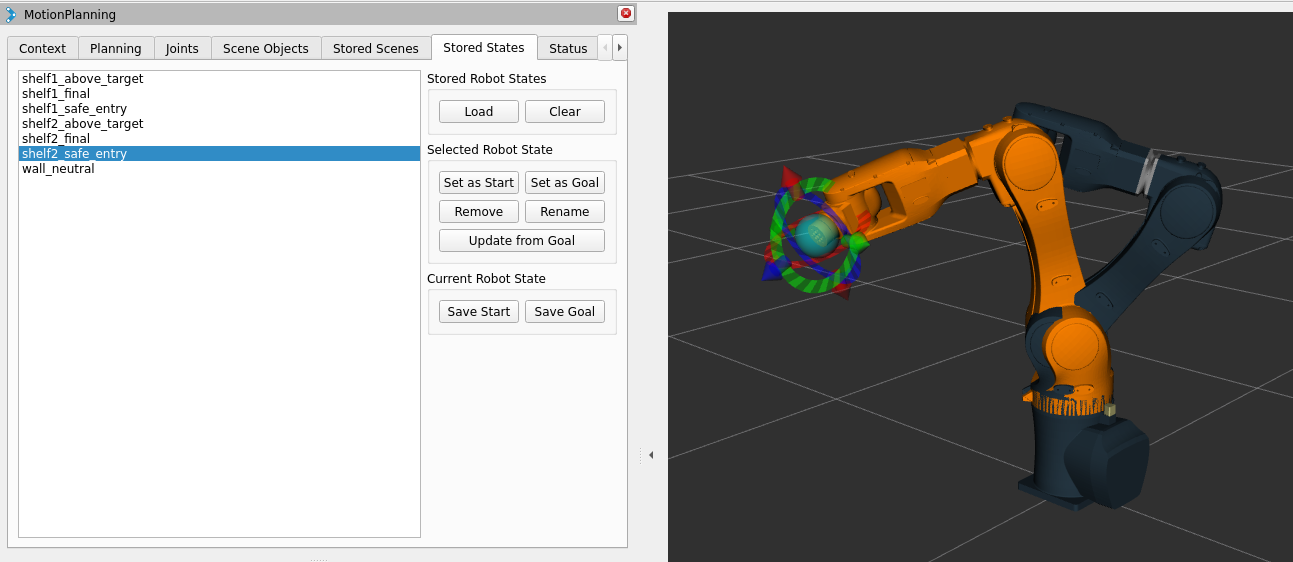
@John_Morris I’ve made a few convenience tweaks to the MotionPlanning plugin for Rviz. Specifically,
Clicking on the state in the list visually updates the goal state in the 3D view. Seems obvious to me that you might want to see this rather than just depending on the waypoint (state) name … but it didn’t do this without hitting the “Set as Goal” button.
Added a button to allow renaming of a state.
Added a button to allow updating of an existing state based on the current goal. This is useful if you need to make a minor tweak to a waypoint. You just move the goal handles slightly in the 3d view and press update. For bonus points, a modal dialog warns if you try to make an adjustment that causes a joint/pose delta > 0.1.
I guess these are generally useful to anyone using the open source version of Moveit2. Perhaps at some point I can create a PR for folding these back into the upstreame Moveit2.
Oh, also, these changes are persistent in any attached warehouse storage. I’ve got that working and am currently using SQLite.
Git address for this work is:
P.S. For anyone reading, John contacted me out-of-band to say he’s watching these updates but is currently tied up. He’s not ignoring this sudden burst of energy at my end.
First, thanks to all who have worked on getting this up and running!
I’m trying to get this working on jazzy, but it’s a work in progress and I haven’t built my docker container yet nor run things on the real robot. Anyway, I have a question for this thread to see how it was in humble that would really help me in my investigations and in feeling safe to try it on hardware:
How do y’all shut the system down? Just ctrl+c the bringup.launch and everything is good? Or is there a procedure that you do?
Back in ROS 1, I made a custom command to just run the docker container without launching and I would launch from inside the container instead. Killing the launch was all I needed to do back then, but it’s not stopping cleanly or cleaning up memory correctly in my jazzy version. So it’d help to know how things happen in humble for you that have gotten it working. Thanks!!
Good afternoon! I’m getting the following error on my terminal. I followed through the README several times, and tried debugging with the command that you provided above. Am I missing anything? Some guidance would be much much MUCH appreciated.
I’ve noticed it’s trying to call for EtherCAT but I thought that it wouldn’t matter considering I was trying to open it up via the simulator. Crashes as soon as I run the simulator command.
Attached is the log, it says that I’ve exceeded the text limit.
Im working on getting my robot going after a long break. Looking at setting it up with ROS2 but I really enjoyed the pathpilot interface and TRPL. Is there any chance of those being updated or released so the community so we can look at?
Quick update on this: I pushed a new repository that fixed my issues for me. Some classes were being called that my system could not recognize; if you’re running into the same issue that I am you can give my repository a quick look: