I’ve recently migrated to Tormach’s ROS2 drivers. Over the last couple of days I’ve been working to add teleoperation via a USB gamepad (in my case, the 8bitdo controller:
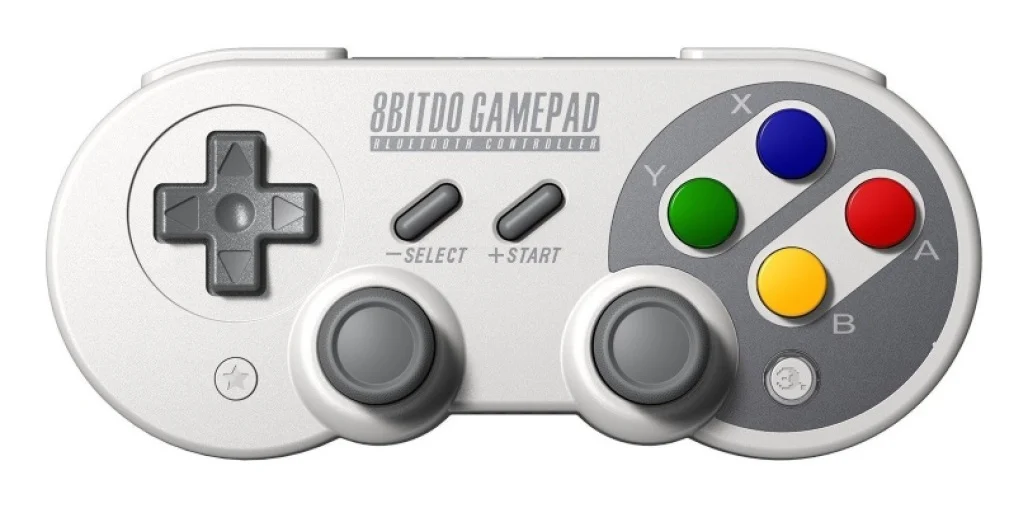
The end goal is to be able to smoothly move the robot around using the controller, setting waypoints, initiating playback, etc. Previously (under ROS1 using RCL), jogging was quite “stuttery” because it was a sequence of individual moves that all started and ended with velocity zero. The current approach should let us specify joint velocity (rather than position) goals.
The demonstrated way to do this in ROS2 is using MoveIt2 Servo (link to teleoperation documentation). These docs give a worked example using the Panda robot arm. Of course, this needs to be tweaked for use with the ZA-6. This thread documents my AI-assisted attempts to do so.
A heads up that while some of the text is written directly by me, a lot has been generated by Cursor AI in response to prompts like “summarize current progress and obstacles in a way that can be posted to the Tormach community forum” 
Here’s what’s been accomplished:
System Overview:
We successfully [the AI think we’ve succeeded - we visibly haven’t] integrated moveit_servo and ros2_joy to enable gamepad teleoperation of the ZA6 robot in simulation. The system includes a Python script that translates joystick/gamepad input (8BitDo controller) into MoveIt Servo commands, supporting both Cartesian and joint-space control modes. The servo publishes to a ros2_control joint trajectory controller for execution.
Key Modifications Made:
The primary challenge was that MoveIt Servo’s default configuration is hardcoded for the Panda robot from the MoveIt tutorials. The servo_parameters.h header file contained hardcoded defaults for “panda_arm” move group name, “panda_link0” planning frame, “panda_link8” end-effector frame, and Panda-specific controller topics. We modified these default values to match the ZA6 robot configuration (manipulator move group, world frame, grasp_link end-effector, and joint_trajectory_controller topic). This required rebuilding the moveit_servo package from source in a temporary workspace (done within the docker container).
Configuration Files Created:
We created several YAML configuration files for servo operation. The servo_params.yaml file configures all servo parameters including move group name, planning frame, end-effector frame, command topics, scaling factors, and timeouts. A servo_config_sim.yaml file was created for simulation with reduced speeds for safer testing. The gamepad_config.yaml maps the 8BitDo controller buttons and axes to specific servo functions.
Python Gamepad Interface:
The gamepad_to_servo.py script subscribes to joy messages and publishes TwistStamped commands for Cartesian control and JointJog commands for joint-space control. It includes button mappings for enabling/disabling servo, switching between Cartesian and joint modes, and configuration parameters for scaling velocities.
Launch Files:
Two launch files were created. The teleop_gamepad_sim.launch.py file launches the full simulation stack including move_group, rviz, ros2_control node with a fake system, the servo node, joy node, and the gamepad converter. The teleop_gamepad.launch.py file is configured for real hardware. Both include inline parameter overrides to ensure correct configuration.
What’s Working:
The servo node now starts successfully without the previous “panda_arm not found” error. The kinematics solver (KDL) is properly loaded via inline parameters. The servo node publishes to the correct joint trajectory topic subscribed by the joint_trajectory_controller. All nodes launch without crashes. The gamepad interface script successfully receives joystick input and publishes servo commands. The topic remapping is correct and the command flow from gamepad to servo node is established.
Current Issue:
The servo appears to be stuck in a paused state (status=2). Service calls to start_servo, unpause_servo, and reset_servo_status return success but don’t change the status. As a result, the servo is publishing joint trajectory messages but with all zero values instead of actual motion commands. When test commands are sent directly via Python script, they’re received by the servo node but still produce zero output. This suggests the servo is processing input but not generating trajectory commands, possibly due to some internal state or configuration issue that hasn’t been identified yet.
Next Steps:
I’m continuing to investigate why the servo won’t transition from paused to active state. This appears to be the final obstacle before successful motion control can be demonstrated. The kinematics solver is loaded, topics are correctly configured, and the command messages are flowing properly. Once this pause state issue is resolved, the system should produce actual robot motion in response to gamepad input.
Testing Methodology:
All testing has been performed in simulation mode using the FakeSystem hardware plugin from ros2_control. This provides a safe testing environment before attempting real robot control. The moveit_servo package has been rebuilt with the modified defaults in a separate workspace located at /tmp/moveit2_za6_ws to avoid conflicts with the installed system package.
Technical Environment:
The work was done in ROS 2 Humble running in a Docker container (ros2-devel). The build system used colcon with the standard ROS 2 build tools. The MoveIt Servo modifications were applied to the source code in /home/pathpilot/Temp/moveit2/moveit_ros/moveit_servo/include/moveit_servo/servo_parameters.h file.
For reference, here is a link to my GitHub fork of the Tormach ROS2 drivers, GitHub - futnuh/tormach_za_ros2_drivers at feature/moveit-servo-gamepad-teleop
I’ll try and get back to this tomorrow. It feels close.