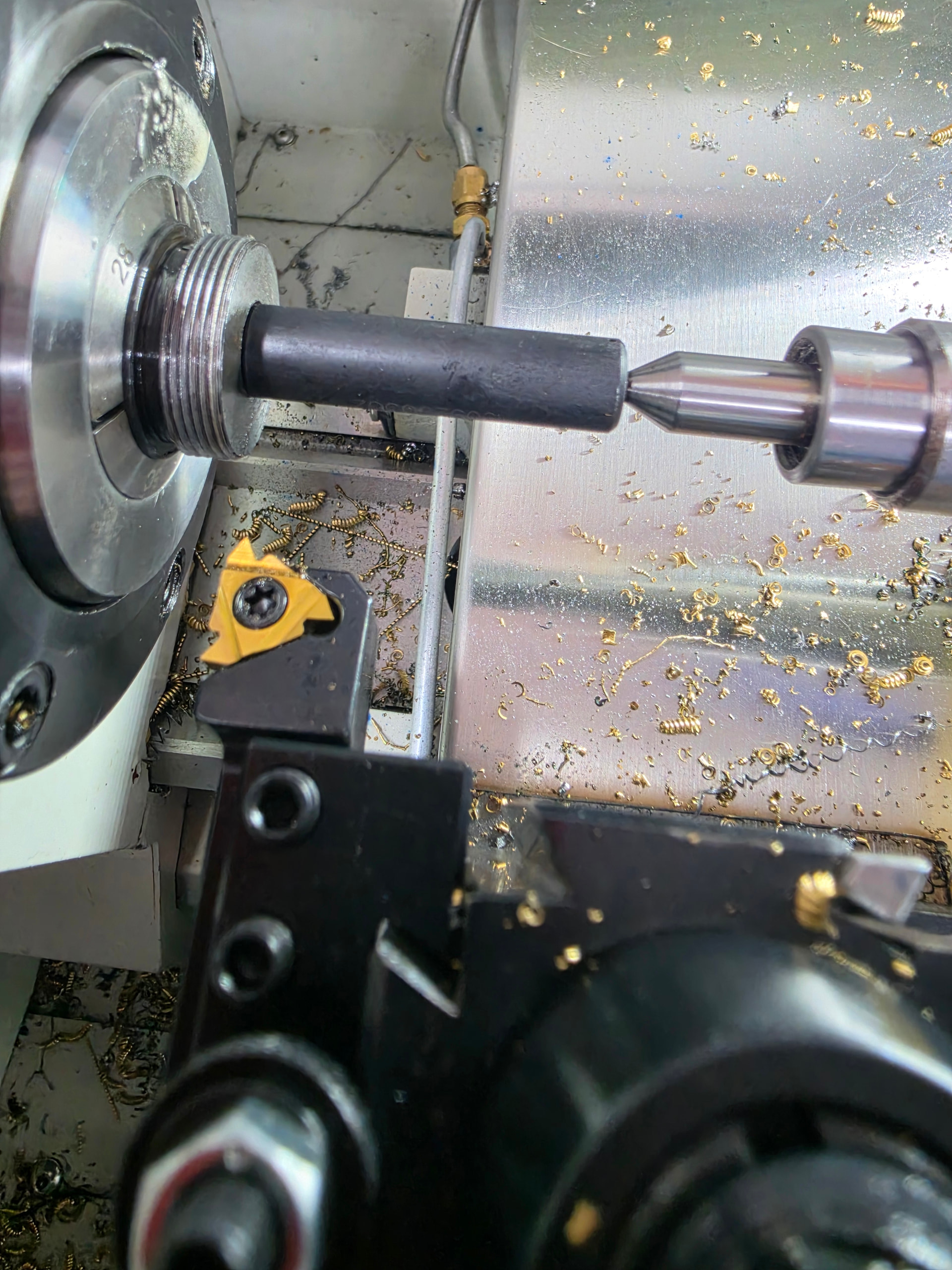
Has anyone written a thread repair macro that will align the machine to an existing thread? I know some machines have a canned thread repair cycle you can run to repair damaged threads. The one that I have used had you enter the thread information, manually jog the tool to the start of the thread, move the tool to the end of the thread and finally position the tool in the thread groove.
On my 8L I have just been entering the thread information into pathpilot, start the threading cycle with the material not in the machine, stop the machine mid-cycle, then I put the material in the collet or chuck, manually align the thread to the tool, tighten chuck or collet and finally restart the threading cycle. Usually works but I would like something more accurate. Small threads are harder to get right, especially if they are tight tolerance.
I’d looked into this a while ago as one of my side projects, but outside of the method you mentioned everything I read pointed towards Pathpilot needing to be able to orient the spindle so that when you position the tool in the thread you are aligned to the encoder’s index pulse when the threading cycle begins. Orienting the spindle we don’t have the ability to do on our lathes, though.
Is there a place where the inner workings of path pilot are available? I would love to get more information on the way the machine and software actually interact.
I think my question relates to this I’m a newbie so let me know if this goes somewhere else.
I’m trying to bolt 2 plates together but unless i clamp them together and thread them at the same time the threads in the holes don’t line up and when I put the bolt in the plates actually move apart. Is there some way to align these threads without machining them at the same time. I can’t tap a m4 hole 4 inches deep.
I thought I would add a little more to this post. I had to re-cut the thread on a cheap 5C collet stop. This is the method I used. The auto collet closer on this machine makes it a little tricky when using collets. For this job I used conversational to enter the thread parameters. Make sure you use a slow spindle rpm so you can stop the machine in the middle of the first pass. I set the starting diameter about .010” larger than the actual work. I then step through the program, using single block, until the threading cycle begins. Use the stop button on the screen, not the emergency stop, to stop mid thread. Be careful not to move your z position. Open the collet or chuck and rotate the thread until it lines up with the tool. With the auto closer I use the tail stock as a reference because the part will move about the same distance each time it is closed. Next carefully rotate the part until you get good alignment with the tool. You can jog the tool in the x direction to check your alignment. I use magnification and a white background to help. I usually rerun the program and stop it again to double check my alignment. Once I am satisfied I restart the program and let it run to completion. This process is a little finicky but I have used it successfully for a while now. If anyone has a better procedure to re-cut threads I would love to hear it.