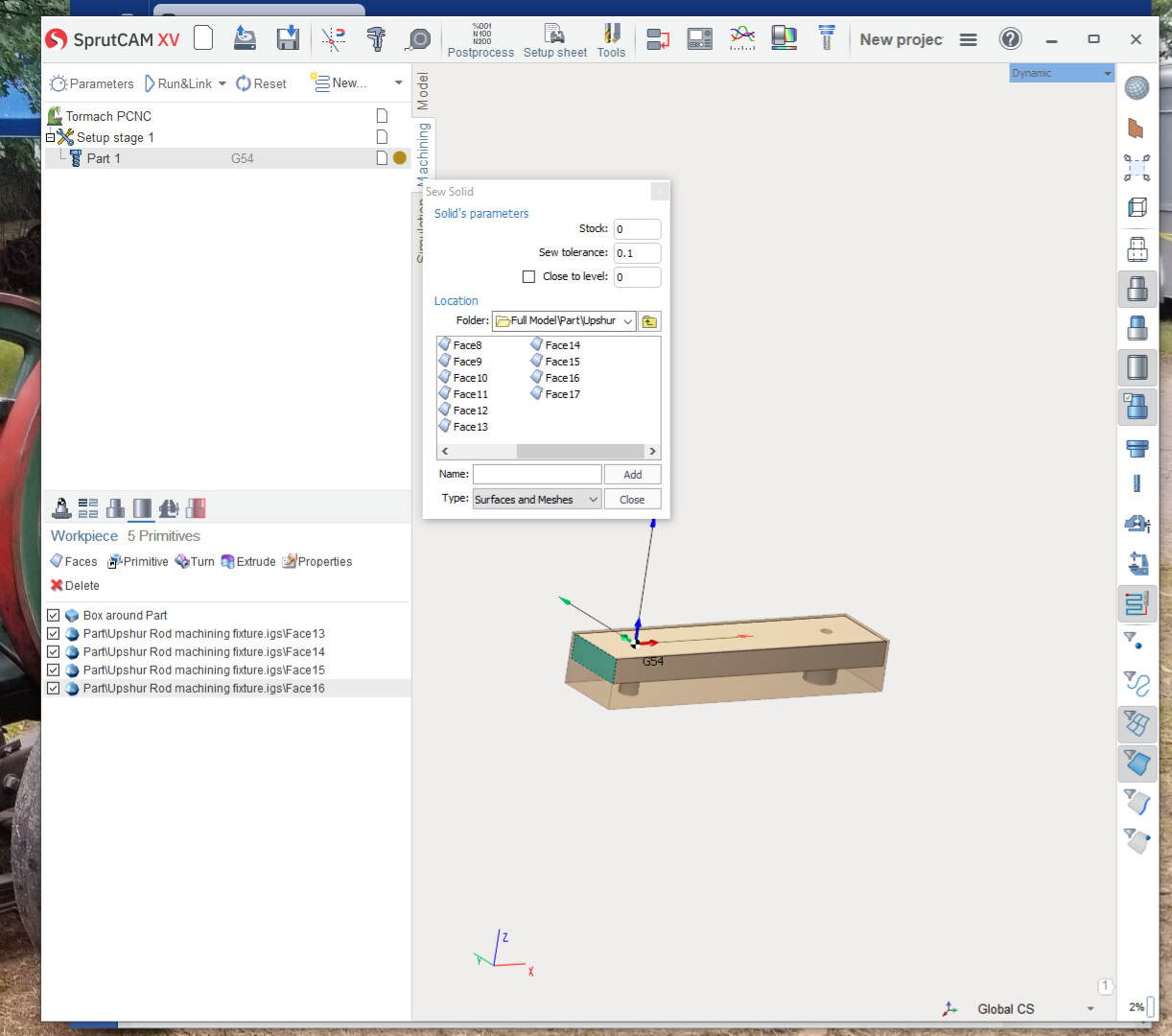
To the best of my knowledge I got the part flipping figured out, but now have an unexpected obstacle. When I get the setup stage, set up and move on to part, and then on to a machining process, I cant choose a face unless I click on faces under job assignment. Then from the list, choose the faces I need and click add. If I left click and look at select objects mode it is on. Did something inadvertently get turned off? Something that should be off turned on. I’ve tried google, no help. I’ve tried sewing it not sewing started over deleting previous versions. I even tried reinstalling sprutcam no use. If I try to click on a face it highlights the whole part. But in the model tab it works as it should. I expect it’s something stupid! I can choose faces from the list but, chamfering I cant choose a sharp edge for the chamfer to cut. Anyone have some helpful thoughts?
Art
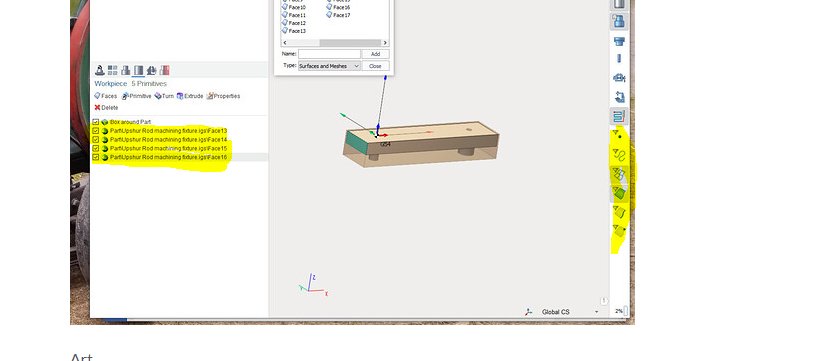
On the left side you are on the workpiece setup tab. After you have done that you will need to select the part tab. Also all those faces will need to be deleted from work piece primitive also. you should only have something like a box around part in that tab.
on the right side highlighted are the selection methods that you control. I keep them all turned on most of the time.
I’m guessing you are trying to select a face to setup a surface operation on or something.
It works best to create a machining operation of some type. then under that operation go to the tab below where you add surfaces to job assignment. When that tab is highlighted your ability to select surfaces, edges and holes works more like expected.
If you are still having problems at that point then the box around part “workpiece” is enabled in a way that might stop you from selection surfaces or edges inside that box . you might need to uncheck the box around part in the workpiece tab.
This part can be kind of tricky because you can create and enable seeing the WORKPIECE in a number of places and they all effect how you can select surfaces on the PART model that is inside the workpiece.