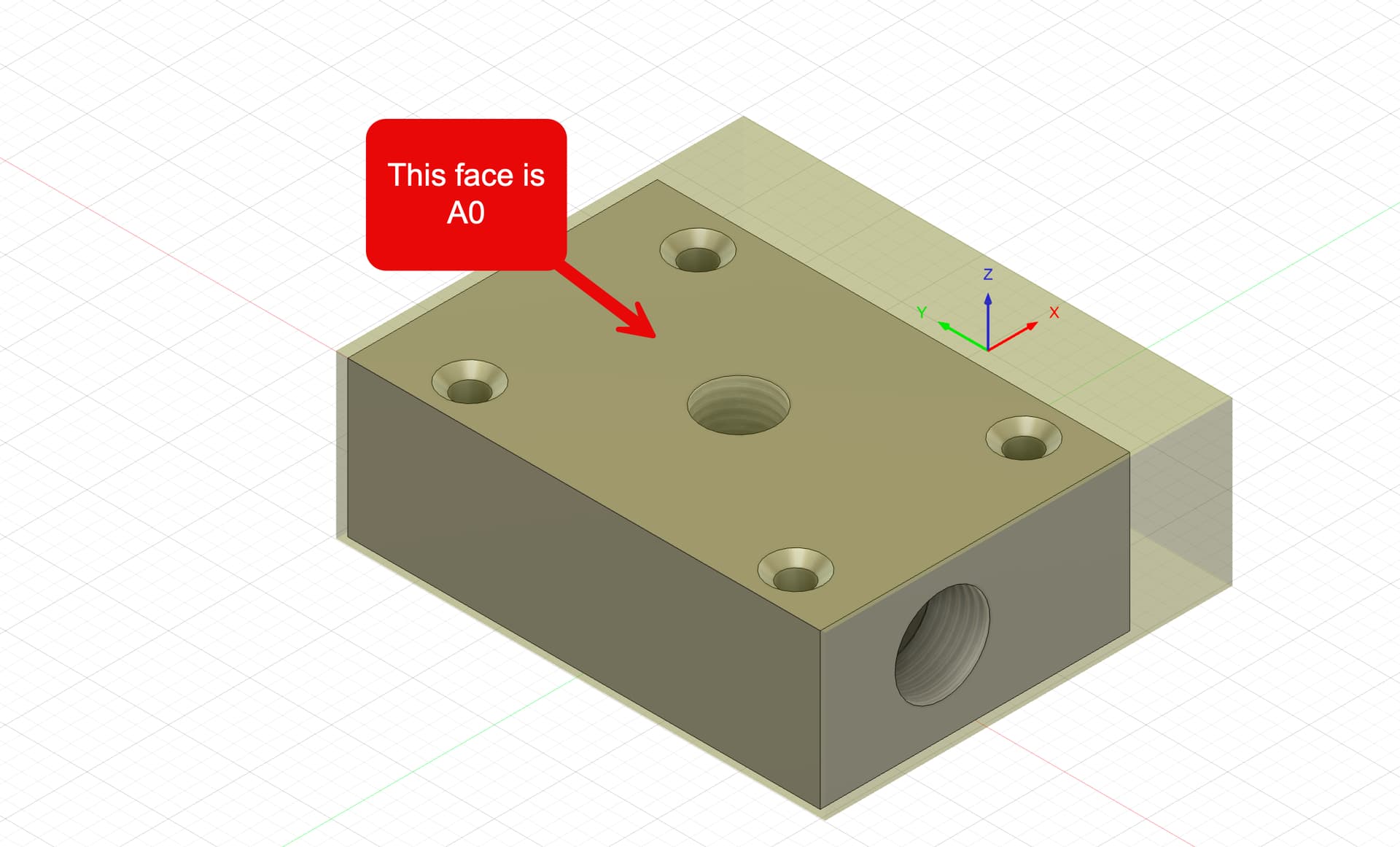
This might take me a sec to explain, so bear with me. I’m new to 4th axis, so if this is normal, please let me know.
I have a part that I’m trying to machine on 5 sides. It’s a 2x3x1 block of aluminum with an extra 1/2" in X to hold onto in a self-centering vise. The operations are like this
- Face the 5 sides, starting with A0, then working around the part.
- spot drill 5 holes on the A0 face, 1 on A-90 and 1 on A90.
- drill operations, same holes, same faces
- Bore 3 of those holes on those 3 faces with a taper for an NPT thread
- Threadmill those bores
- chamfer/debur on all sides
Operation 1 & 2 go as expected but after the tool change to the drill for op 3 the part is in the A-90 position and Z begins to descend and drill then as it penetrates the surface of the part A begins to rotate towards A0. There is nothing in the G code that would seem to command this.
It has been suggested to me that adding G61 / G64 so the A-axis must finish and come to a complete stop before the next move would be a way to fix this, but it seems crazy that I would need to manually do this in G-code whenever using the Microarc. I’m also confused as to why the first 2 ops work fine but the 3rd does not.
I am using Fusion to create the CAM.