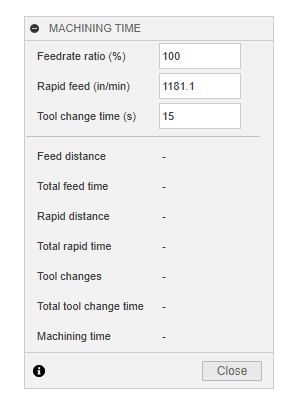
Has anyone played with and dialed in the feed rate ratio % setting in Fusion so it will yield more accurate machining time results? OR at least get closer than what the default is? IF so, what settings do you have? I have never changed mine I only just learned about it per a conversation with Andrew on the Fusion forum.
I have mine set at 92. It’s not perfect, but close enough to give me a reasonable idea of the program time.
You also need to adjust your rapid feed setting so it properly matches your machine’s capabilities. This is more important for roughing operations than anything else but if you’re doing a long adaptive rough, you will notice a difference there. Though it’s still imperfect because these machines have a slower Z rapid than XY. I have mine set at 300 (XY rapid for 1100mx) and again, the overall simulation estimate is fairly close.
I think the important point is that it’s really only an estimate/approximation generated by Fusion. For me, the primary use for it is simply to see if I’m doing something dumb in my tool paths or if the capabilities of my machine are going to make a particular operation onerous - take the better part of a day.
Because F360 can’t know all the nuances of your environment it’s only ever going to get “close”. I imagine in a production shop where you need to quote jobs, it would be advantageous to have a good guess on cycle time without having to run a job. In that case it would make sense to run some jobs, time them and use that to calibrate the settings in F360. As @Ian_Vivero mentioned, it’s also going to depend on what type of tool path / operation you are looking at. Some are probably pretty hard for F360 to estimate. Adaptive tool paths have a lot of short non-cutting moves and small errors in calculating the time for them will add up to a larger difference in the estimate.
I do my own prototype work and small runs, I don’t (yet) have an ATC and at least 50% of my machine time is setup.
So unless you are into serious production, it might be a fun exercise to calibrate but I doubt it’s worth fine tuning the settings.
Ok, have you ever done any controlled time tests to compare? Sounds like you know the times so I assume you have. Id be interested to hear how close it is.
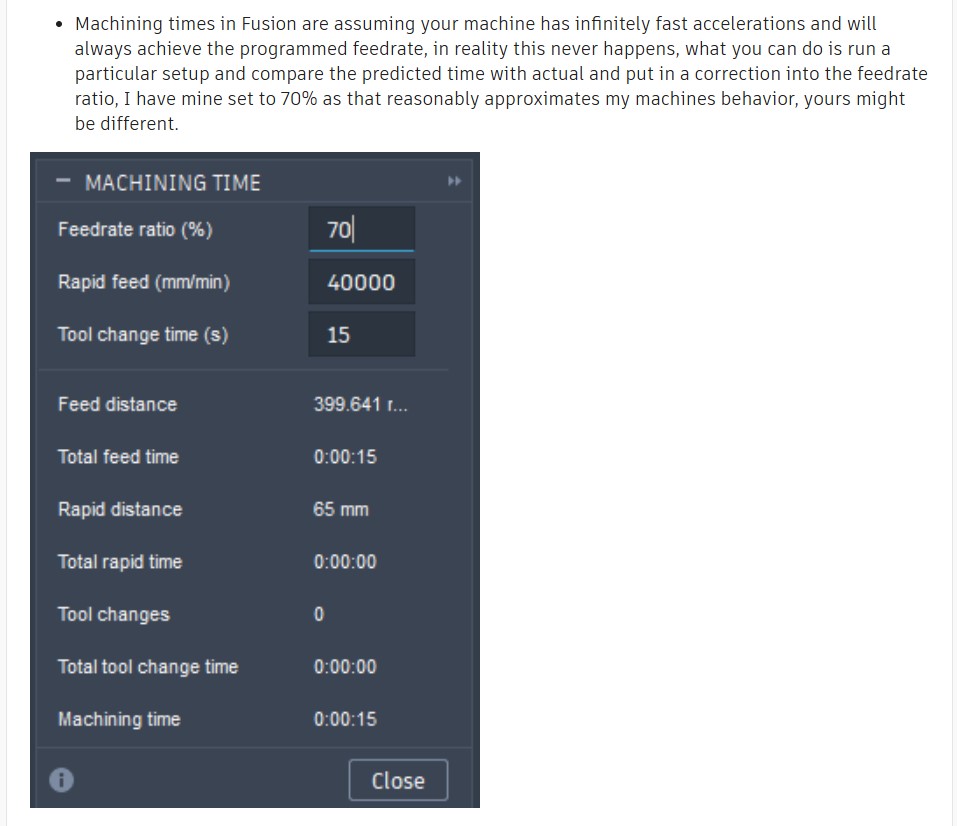
I asked Andrew on the Fusion forum about this, and he has his set to 70%, so it would be interesting to know how accurate the 92% on a Tormach MX is. Here is his response. He runs a 50 ton BEAST Okuma MACR A5CII BT50 35HP table is 21 foot long X 6’. So its interesting he has his Fusion setting at 70%
I do realize all that, thanks for the input, Im just trying get is set so the numbers make more real world sense. For me I have a 3 op part we plan to sell and the times are very high right now, so Id like to see more realistic numbers. At some point when I get the CAM dialed in I will time the runs to compare.
No, I have never done controlled time tests, just the occasional sanity check. My number is based on watching the cycle timer on the machine at the end of a given operation, comparing that to the estimated time in fusion, and adjusting from there. Over the course of a longer program, I have added the cycle times for each toolpath in Fusion to see how close they are to actual. Hardly scientific, but it got me close enough that I don’t care to refine it further.
As for Andrew’s 70% compared to my 92. The difference is meaningless because the machines are completely different. Also, he has his max rapid set to almost 1600in/min which may be correct for his machine, but I doubt it given it’s size. Even if it is, the explanation is right there in his post, assumption of infinite acceleration is going to have a greater impact on a machine that has to accelerate a larger mass to a higher speed.
Also, bear in mind the impact of tool changes. For single tool programs it obviously doesn’t have an affect but if your program contains tool changes I can pretty much guarantee they are taking longer than 15 seconds. After switching to the BT30 spindle, if I was ON IT when the tool path ended, I could get a tool change done in around 10 seconds but that’s assuming I was standing at the machine, waiting for the spindle to retract. Outside of that situation, it was always longer. When I still had the TTS spindle, it was definitely longer, and with the ATC it’s definitely longer. I also have my post setup to measure every tool, every time it’s picked up from the ATC (and on some programs, check it again prior to putting it away) which adds more tool change time. For my one product line, the 12 tool changes account for around 12-13 minutes of the 1.5 hour-ish total cycle time (high density fixturing for the win here).
All of this is fairly meaningless in the context of refining your program to reduce cycle time though. Yes, it’s helpful to calculate real world cycle times so you can estimate daily production and therefore labor and machine costs per part. But based on “times are very high right now” and “At some point when I get the CAM dialed in” it sounds like you have a good amount of toolpath optimization to do. This can be done even with bad estimates of the total time. A 20% reduction in cycle time, even if the cycle time estimate is wrong, is still going to be around a 20% reduction. Were it me trying to get product to market, I’d probably be running the parts with the program and estimates as is to get some initial parts made. Then I have real world information about the cycle time that I can use to establish pricing and adjust the estimation settings. Then work on refining the program to reduce cycle time, which reduces cost, which increases profit based on the previously set pricing.
This. I always assume the time in Fusion will be shorter than actual run time and haven’t bothered to change it from the defaults, but it’s useful to look at and see “changing that parameter took 3 minutes off”, even if those 3 minutes are not real-world times.
Thanks for the feedback. I am working on optimizing my programming now before I run my 2nd prototype.
Im going to do some time tests just to see where it’s at and make some adjustments to see if I can get it the estimated time close. I will post back here with the results.