Need some help here. I may be getting into an area that isn’t familiar or comfortable and need some input.
I am experiencing what seems to be a grid shift? Or in the least, the machine isn’t cutting where I am telling it to. I am consistently and constantly getting off .01 on both X and Y. Always the same direction, both axes. IE not random.
For reference, and where this issue was discovered: I am simply trying to drill a hole in blocks, dead center. In steel, 2 parts, 1 in each vise, using G54 and 55.
I have checked backlash which was surprisingly good. There is no, nor have I added any backlash compensation in the ADMIN settings. The gibs seem adjusted well, as seen in the backlash exploration. I can’t seem to find any loss of motion. The motor couplings don’t seem to be slipping when I marked and observed them. Ways are thoroughly lubricated. I thought perhaps the model was off (though the code output was putting the hole exactly where I wanted it, I drew a simple wireframe just to eliminate some potential modeling variable.) To run that test, retaught on a single part on G56 using an aluminum blank (changed material to see if the table was being pulled by cutting forces in machining the steel), the G56 teach was nearly identical to the G55 I was using on one of my parts. I used a different offset, just so I could visually compare the numbers. Those are the items I have an idea to check and go through.
There are 2 “mysteries” or perhaps they’ll prove to be irrelevant in this equation, but worth mentioning. I’ve got a guy that helps me sometimes. He said there was a power flicker the one day he was running it while I was out. But machine never shut off?
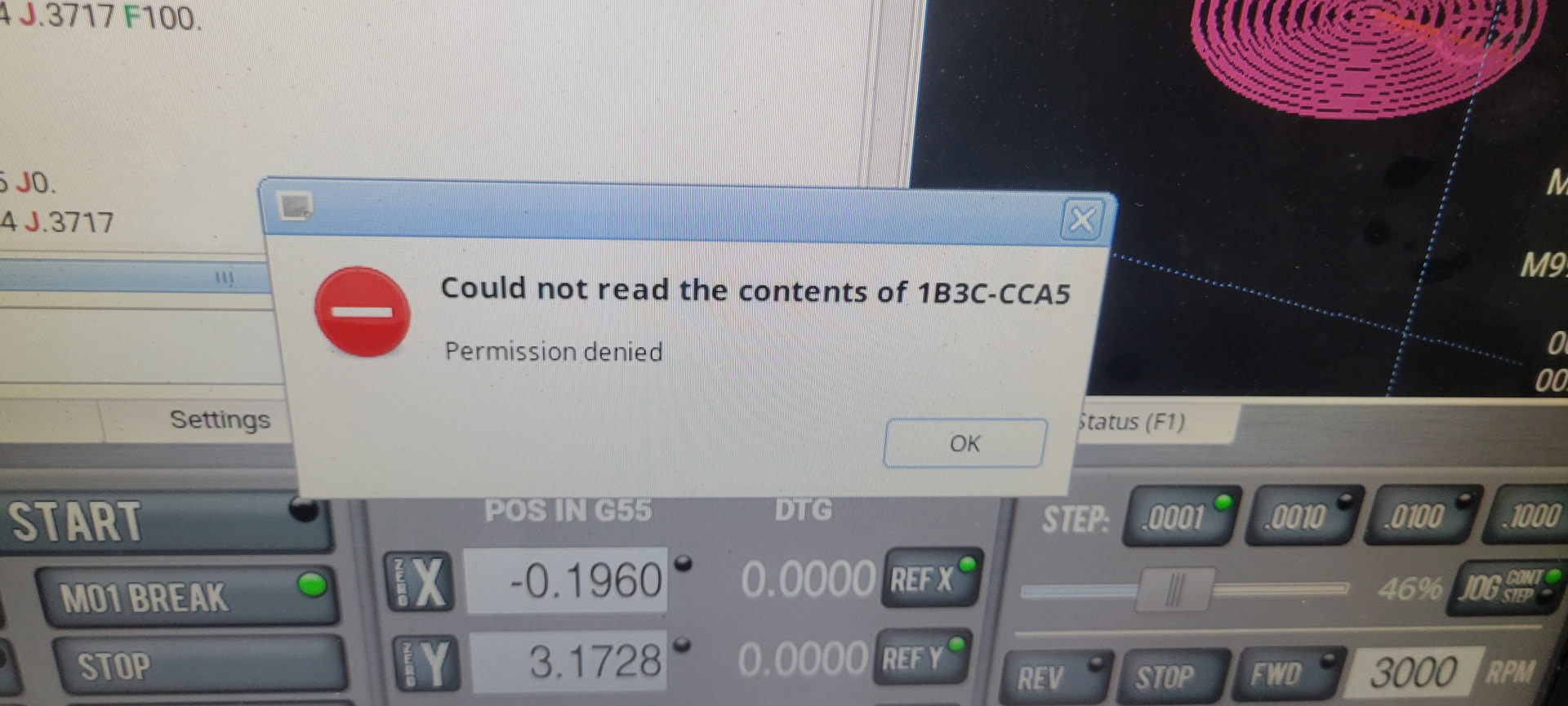
The other item: few weeks ago, before the supposed power flicker, and this present issue, I got this warning on my screen. One time. And have since ran good parts on the machine up until this issue (though, perhaps they were bad, and I didn’t catch it until now?)
I do not have my machine wired or on wifi- so no updates have recently been installed on the control. I bought it used a few years ago and haven’t had any sort of software issues until now. (if it is fact that, and not a mechanical one)
Am I overlooking something obvious? Perhaps the checks I’ve ran aren’t the areas I need to be looking into? Perhaps I didn’t execute what I have checked correctly or well enough?
Thanks in advance for any insights.