I want to automate more default behaviors to my preferences given the modifications I have planned for my 440 as I am going to want a (safe) move of the machine toward the front right of the enclosure at the end of every cycle.
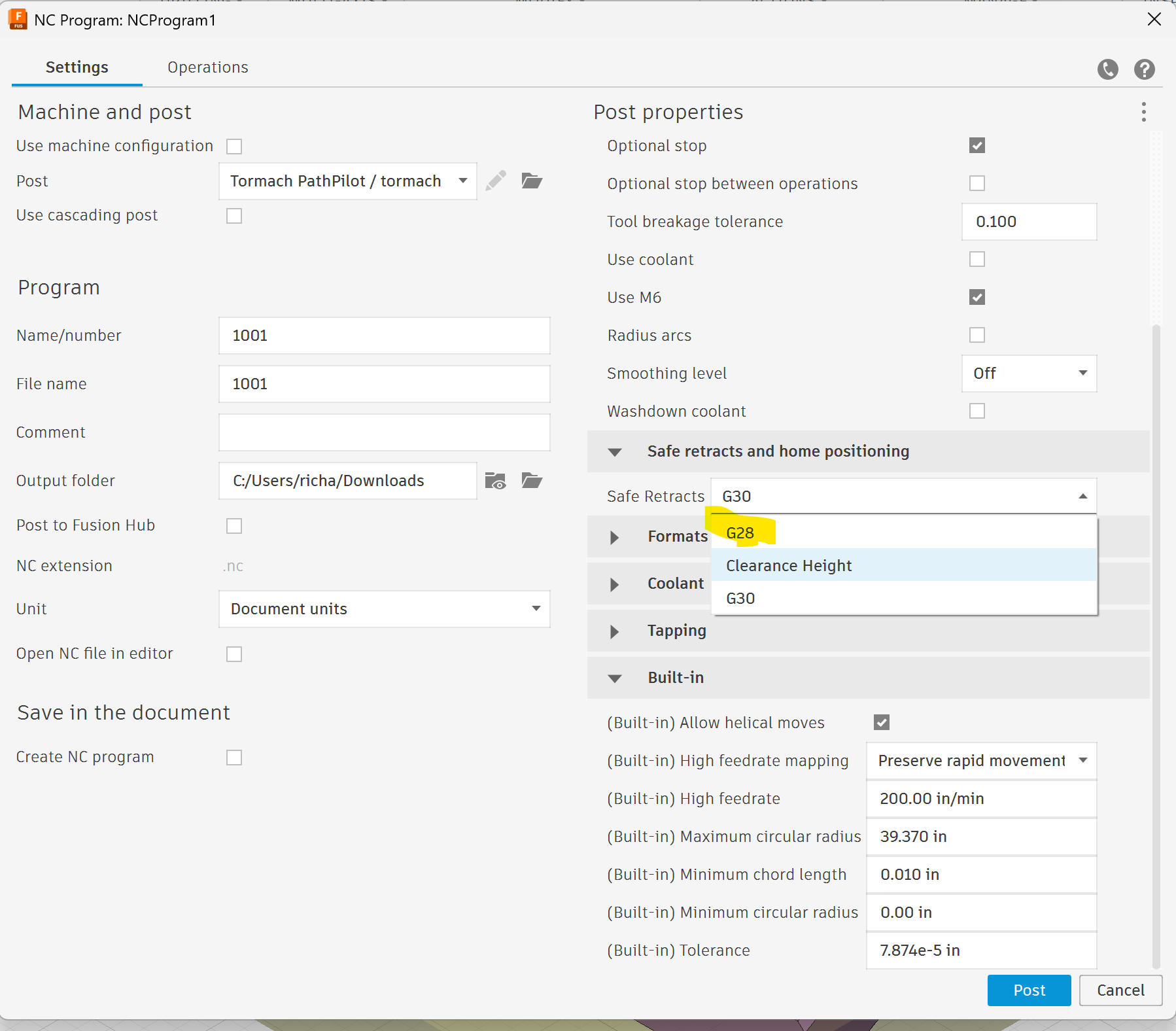
G28 X~ Y~ Z~ moves to the stored absolute position through an intermediate position, any axis not specified will not move, so you just need the right Z value for the G28 command to force a Z move first…in this case, I would understand it is looking for an absolute Z value?
If that is the correct interpretation, then what is needed is to modify the Fusion post processor to ensure that a safe Z is included in G28 when you select that drop-down, you should be executing a “safe” G28?
Probably want something like this to deal with absolute coordinates (this assumes that you don’t have a tool loaded that is so long that it will hit even if you are at Z0 absolute)
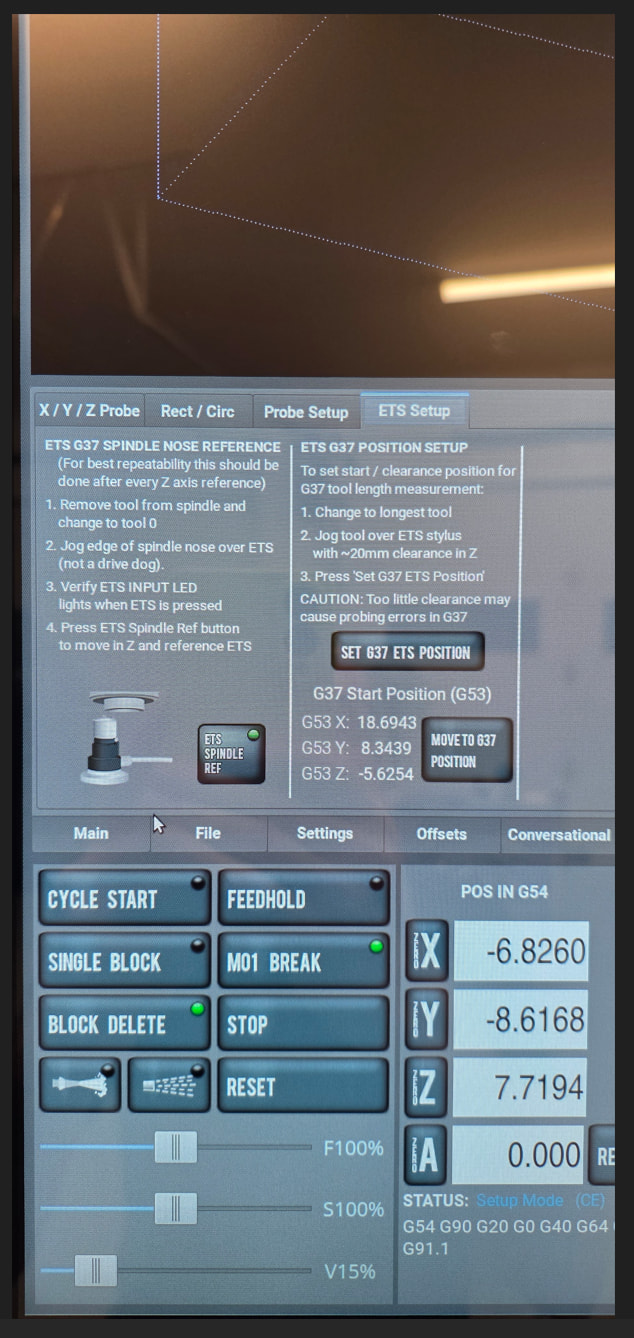
That’s what I’m trying to do…move the mill front right at the end of all operations to load/unload parts instead of having to manually move it there but keep G37 for where I have bolted the ETS to the mill (back left) and G30 at a place where the ATC can change tools safely that is near the ETS and not all the way on the other side of the table and crosses over my vise [edited after Richard Salzman pointed out as written G30 is not G37 as I originally wrote but I was bundling the two together as related for my machine setup]
Dr. Jones says it does a diagonal move and Jason’s video seems to confirm that, so a post processor modification appears to be in order.
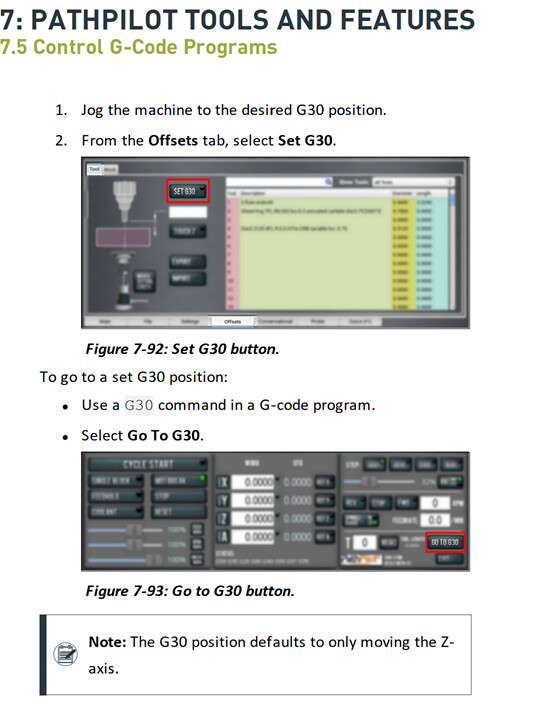
For what it is worth, I was on the phone with tech support today for another issue and I was told to use G30 as the end of cycle position. They did not recommend G28.
I am sure that tech support knows their stuff and their answer is probably more correct.
G30, as defined by LinuxCNC, which is what PP is built on, is the specified location for tool changes and they have protections built into PP for G30.
G28 has an almost identical definition and use case, save for the fact that G30 is specified and used in the tool change chain of moves.
The absence of a safe Z axis move being built into G28 as identified here, appears to be the one limitation to using G28 with “reckless abandon”.
I’ll proceed with my modifications to the provided Tormach Fusion post-processor and keep an eye on it and report back (and probably time to take a look at the Xoomspeed post-processor to see if this is already covered in it).
I recently put in a suggestion to tormach to add an option to have user defined buttons to run a macro or gcode etc.
This would be a good example why someone would want such a thing. So they can push a button and the table goes to a defines location. Without typing in the MDI, which I hate.
If you go to tormachtips.com he has a python plugins that will add another tab and it has WCS data & buttons. I tweaked the python code to add more buttons & I added some canned routines like move the table to the center, or front center, a button to set G28 and another to go to G28. He has lots of different python plugins. It really speeds things up & is a nice creature comfort. I use universal gcode sender on my cnc router which you can make your own macros, so I got spoiled on that. Disappointed PP doesnt have that option, but I am a fan of PP dont get me wrong.
I would like a way to attach the macros to the function keys. I know F1 shows the status tab but that’s the only one I use. I think that’s the only one that does anything as far as I know.
Is the feature request to map a Fn key to run a NC file stored on the controller (provided that you are in a state where it can be run when the Fn key is pressed) and/or that the Fn key could be assigned to existing functions in PP?
I’d settle for function keys that do things. Things I do the most that could be convenient.
F2- measure tool
F3- G28
F4- coolant toggle
F5- midi line (I hate having to select it, then type g00, then select again X0 Y0)
F6- iso view
F7- copy current tool to conversational field
F9 run (subroutine 1)
F8 - run (subroutine 2)
F10- run (subroutine 3)
There’s others like copy probed location to drill table
I also do a lot of probing somethings width and then take that and type it in to the A field/2 then copy and paste that into the conversational -X, X fields then repeat with Y. Lots of godly things that could be made easier, quicker.
Probably not in that order either. I just threw out the first 9 I thought about.
I wish Tormach built those functions into PP. Seems weird they build in more shortcuts.
A alternative would be to go to Tormachtips.com and there is a plugin with instruction to create scripts & assign them to keys &/or buy a seperate macro board to assign functions too. It uses xdotool that is into linux.