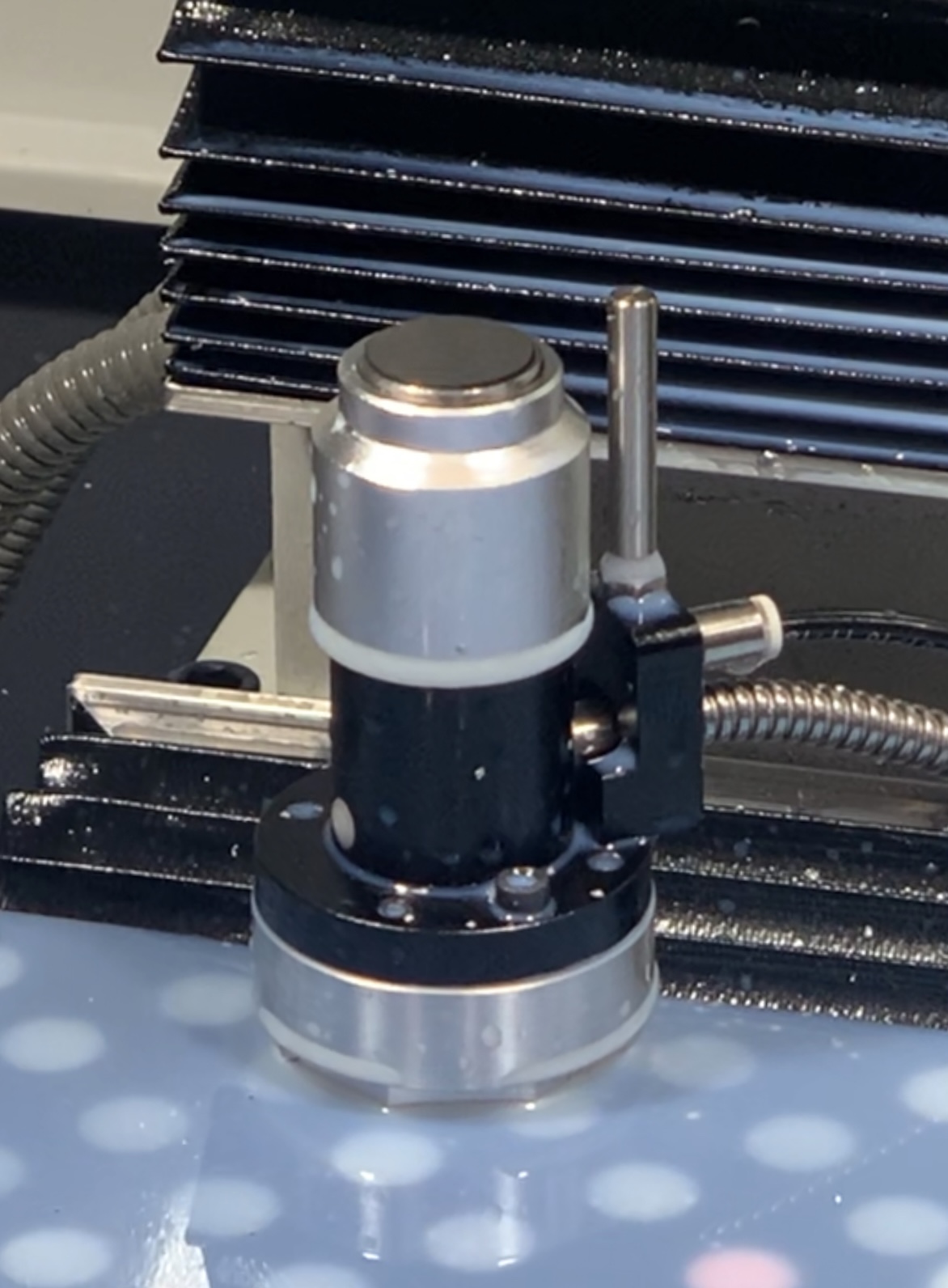
Hi folks,
Some of you (like me) might have this ETS with an air attachment for automatically clearing the measuring surface:
I wrote a subroutine to trigger a short air blast while measuring the tool, and figured I should share it here. There are detailed instructions in the comments within the file itself, but here’s a quick step-by-step usage guide:
- Place the file
measure_tool.nc in your subroutines folder.
- If needed, edit the
#<ab_relay> parameter on line 28 to the correct output relay on your IO board. By default, it’s set to output zero.
- Either from MDI or from a program, call the subroutine by entering:
o<measure_tool> CALL
- You can also provide the length of time the air blast should last when calling the subroutine - just enter the number of seconds in square brackets following the call statement:
o<measure_tool> CALL [3] (this would be a 3 second air blast)
- Optionally, you can change the default length of the air blast by editing the
#<ab_min_sec> parameter on line 24. Whatever value is entered here is the minimum length of time the air blast can be triggered.
Note that on my machine, anything shorter than 2 seconds sometimes caused an error.
Required hardware:
- USB I/O Interface (Tormach PN: 32616)
- 24V Pneumatic Solenoid (I used this one from Amazon)
File download:
measure_tool.nc (1.2 KB)
7 Likes
Cameron did you use the 3 way or 5 way solenoid valve?
Thanks!!!
I have one of these ETS and the USB relay interface…need to get the right size of air tubing for mine…
Has anyone thought of a way to integrate this into PP where it will air blast as part of touching off a tool from the PP interface for offsets or when prompted to touch off all tools? Similar problem to what I’m working on for wanting to trigger a relay when tool 99 is selected.
Depends how it’s wired. You might be able to bridge off the nc lead to open the air solenoid when it triggers. Or the other way around.
Wasn’t thinking of a direct electrical connection. It’s a good idea depending on how it is wired and failure mode now being in the logic path of crashing a tool into the ETS.
I’m a software guy and it really does belong on a separate terminal. With what Vincent posted in the other thread I have open about detecting tool 99 and conditional output based upon that and some digging in PP and I should be able to run it off the USB add-on and keep the probe/ETS signal port “clean”.
It would be better. I’m not a programmer but all those hooks for the usb are built into the tool changer programs. You could probably grab it from there and modify it pretty easily.
Looks like in the same directory referenced here (subroutines):
- g370remap.ngc
- g371remap.ngc
I haven’t verified but these look like the NC that PP may be calling in the GUI for ETS activities.
Hopefully it is as as simple as insert the M code to trigger the designated USB relay for an air blast in there and then you have to maintain your modification to the file when PP updates…
In g370remap.ngc:
M64 P0
G4 P0
M65 P0
…2 second air blast on output 0 (first relay) before the ETS probe cycle. Easy peasy. Now to find the right size tubing and adapters to push lock…
When updates it breaks all the non tormach changes. Not sure if this applies to the is but if so make your script to reinsert your modifications now while it’s fresh.
I think a whole new directory is unpacked for each version, so, yes, the changes to this probably won’t persist and propagate to the new PP installation directory when it updates.
I already have a couple changes that I have to maintain…so, I can just put all of them into a software revision control system and let it manage them for me…