I’m using the latest version of Ency 2. I see nothing in there manual about Autodesk other than Inventor. I’m using ENCY 2 to generate code for my 15L.
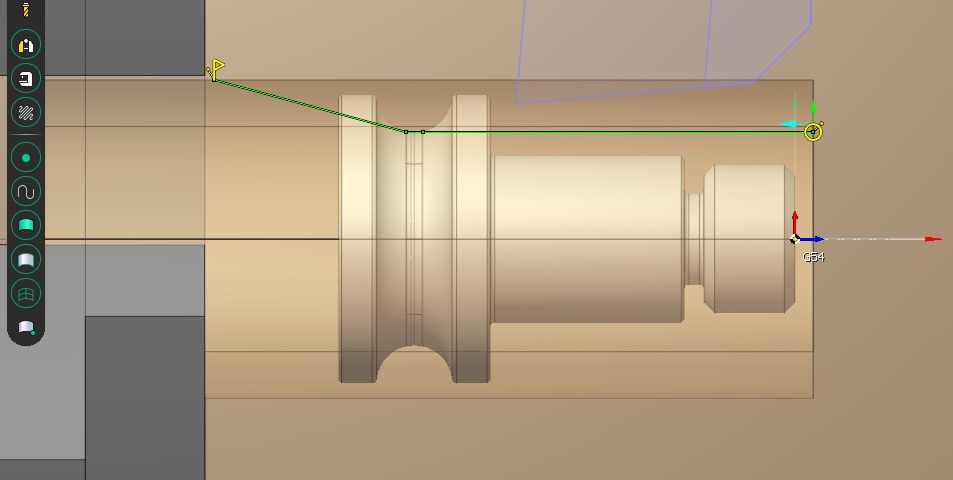
I’m importing .IGES part files exported from Fusion 360. Well they import just fine. But when you create OD Roughing operation the profile of the part is wrong. See last picture.
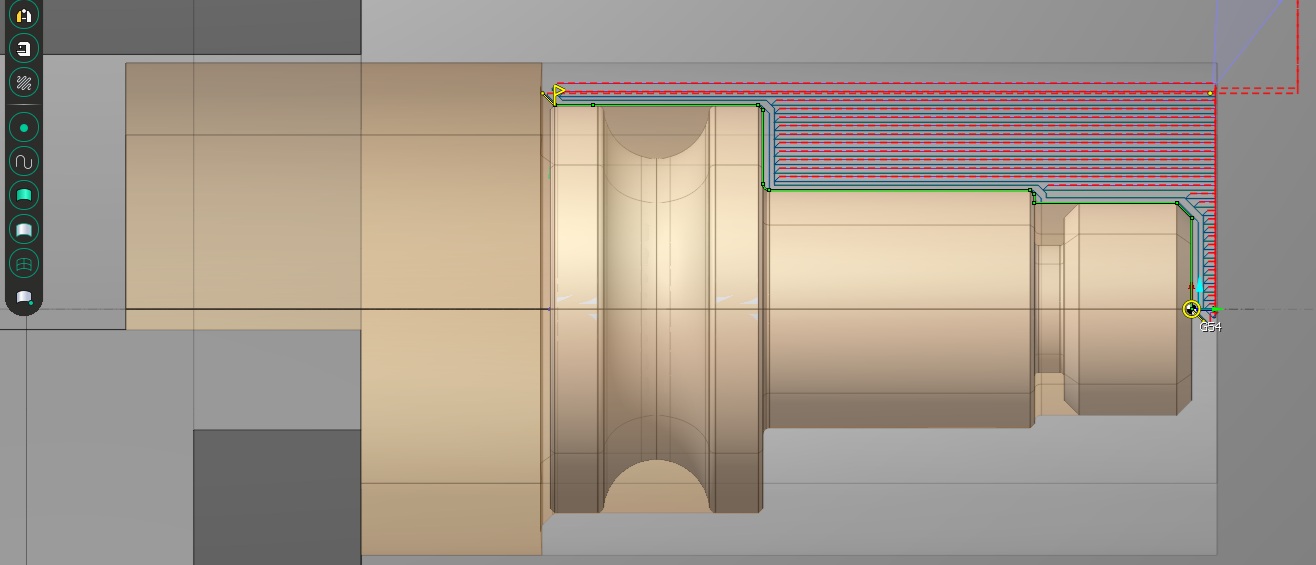
So I created the part in SW then exported an .IGES from SolidWorks, imported into ENCY 2 and then created a OD Roughing operation and it works. See first picture.
Is there any work around? The easy way is just use Solidworks.
The plan was to get rid of Fusion 360 because I’m tired of paying there ransom fees. I may have to sooner than later. I just have alot of parts I created in Fusion 360.
I have seen this before. Best I can tell is some programs will export a crippled iges model.
Not clear why or if it is a bug or they did it on purpose. Might try step files.
I remember having to export files in another format like step then loading them in my cad and exporting them again as iges to sprutcam or ency2.
I know of only one issue with spherical shapes that iges files and sprutcam has always had an issue with but your model has none of these.
@Jerry_Chapman why do you feel they are charging “ransom fees”? Is it because it is subscription model or is it the amount they charge for the subscription versus competitors? I’m not a commercial user (yet) but wondering what folks who do pay are thinking…
Hi Lane, Thanks for responding. I’ve tried the step through Fusion 360 and that doesnt work any better. I have exported my files into Solidworks, then exported as a iges file and that works most of the time.
Doesn’t Ency 2 have a way to create the contour manually. I’ve tried to figure that out and cant seem to create the contour manually. I’ve got the contour editing toolbar to come up but I’ll keep playing with it until it makes sense. Any tips would be appreciated.
The other thing i find annoying, on the machining tab, select setup, move the carriage back, then click job assignment and the carriage moves back to where it was. I’m sure there is a setting somewhere just haven’t found it.
I like Ency 2 but it has a steep learning curve. I’m investing the time to learn it, I’ll get there.
Subscription. I’m a home user, no commercial work. Fusion 360 just keeps raising there prices and they want a ridiculous amount for machining extensions(beyond my budget). With Ency 2 you get everything for Tormach machines plus it not a subscription based product. The trade off is limited tutorials, user manual hard to understand at times, and youtubers not making videos.
My Fusion 360 subscription is up in Sept of this year. My plan is to use Solidworks for Makers($49.00 a year when on sale) and Ency, eliminate the cost of Fusion. I’m getting there, just invested so much time in Fusion I hate to let it go.
This. The machining extension isn’t really needed for 3 & 4 axis work, but it’s annoying and part of a trend towards everything in paid add-ons. Mix in the product managers obtusely telling people “you’re not using it right” and shoving everything into the cloud, driving everyone, including 1-seat shops to “teams” and forcing an AI assistant in without any way to turn it off
Quote of the day: “Why can’t you just give us, the user of the product who paid good money for it, a setting to just disable it entirely? How hard is that?”
Mix in a bunch of other BS and it’s not too surprising many are getting cranky with them. I’m considering dropping them if this keeps up, which would be annoying because I’m pretty good at running it now but at $700+ a year it’s not too long before a perpetual seat of Solidworks or whatever starts to look pretty good.
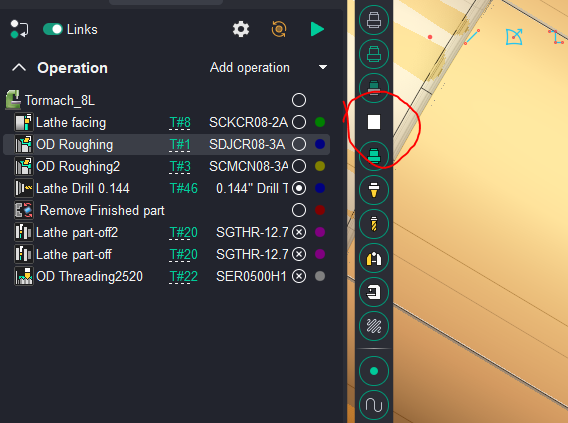
Then I add a operation like contour and select the tool to be used for that operation
Then go to job assignment and delete anything it might have auto added when you created the operation
With job assignment tab highlighted and empty “
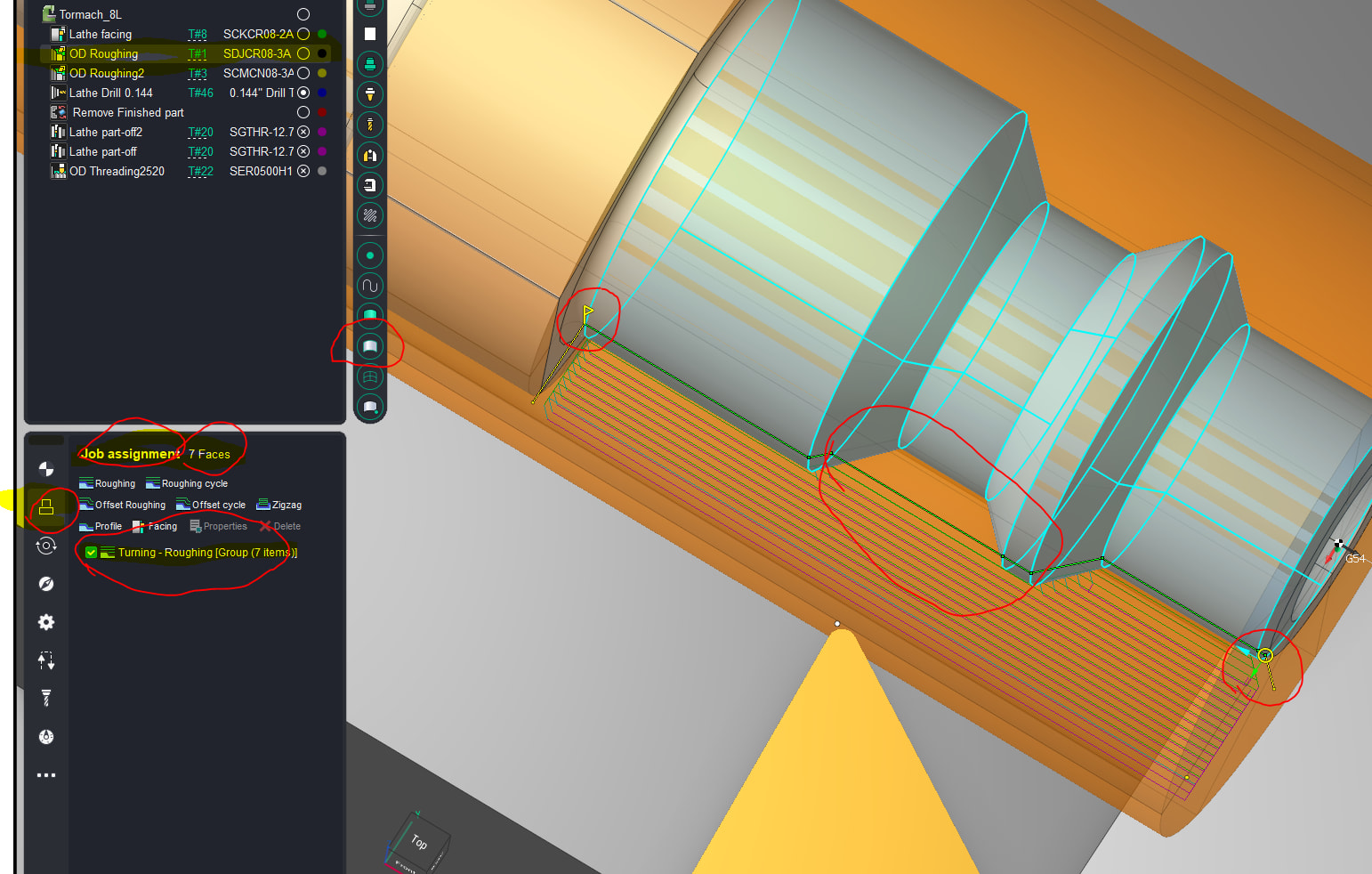
I then select the surfaces of the contour holding the shift key down. “try to select each surface from front of part going back toward spindle in order.” I use surfaces “shown in blue” as selection method. edged selection also works but not as well imho
Then in job assignment window choose the type of operation from the list of roughing types.
When you do that it creates the operation with the selected surfaces as the job assignment and should say something like “turning-roughing [group(7 items)]”
Then I grab the yellow flag or circle and drag them to locations to start and stop the path, and direction. then move the approach and return legs as desired to account for stock size and other model surfaces not being machined
Ency does the best that it can to understand the tool and the profile type and creates the profile like shown. it will try to only reach of turn surfaces that type of tool can access and ignore ones that tool can’t reach. “note area it did not try to reach because the tool and path type wont allow it”
Reset and run operation to see the tool paths created for the contour selected’.
To be honest this works very well but takes some time to experiment with what works best for you and the way you setup jobs and operations. I spent some time and just tried different operations, with different tools and different ways to select the profile or contour and then run to see results. move the circle and flag around, adjust settings and run again and keep changing setting until I understood what each one did.
Most of the time its easy to get setup and you will have good lathe code in a matter of minutes
but you have to be careful. it does not always create good approaches or returns and I check everything carefully to avoid drama.
Unfortunately, these are all symptoms of software and software development in this day and age. I’m not sure how the other CAM companies are going to respond but if they don’t have one now, they are probably working on the AI assistants. The question will be if their implementation is as intrusive. Not only does Autodesk have theirs, but you can now connect Claude AI to Fusion.
FWIW, I was running 100% open source and free home networking on generic hardware for decades (pfSense). I finally gave up and bought significantly into the Unifi ecosystem to simplify my life and take some IT management tasks that I could do but didn’t really need to be doing, off my plate. I pay the premium to own Apple hardware for MacOS to be my “daily driver” for decades so I don’t have to keep fiddling with stuff but I have Linux kicking around all over the place “running in the background”. It looks like I’ll have to resurrect a Windows rig if I want to explore some of these alternate CAD/CAM solutions.
I first learned AutoCAD when it ran under MS-DOS…
The only way around all of this is open source, and the only viable option seems to be FreeCAD. It seems to be lacking in terms of CAM capabilities compared to Fusion and there doesn’t seem to be anything as complete as a commercial CAM package. I wonder if directing some human time and AI coding resources to FreeCAD will change that in the near term.
I think the question of switching is what is the productivity loss (time and money) learning a new system or if it’s the issue of the user base being ignored and the product becomes unusable or annoying enough to switch. I installed a trial of MasterCAM and didn’t get very far…it was going to take up a bunch of my time to learn it…
I’m doing both CAD and CAM to design parts and then make them on a hobby scale for personal use on my own vehicles, so it makes sense to stay in the same product if it can do everything instead of having to bounce between them given my current expenditure is $0.
I have some “business” ideas which would likely require licensing to be compliant, which is why I’m exploring this…
FWIW, Tormach shows two software options on the site, neither are Ency (which I understand is a rebadged SprutCAM “now with 50% less Russia!” to make the US govt. happier). I guess they’re keeping it on the down-low.
I try not to encourage behavior I dislike so not playing the “contact for quote” game. Someone else is welcome to.
You might also consider Onshape, which is free for non-commercial use. Files in the free version are technically public, but I haven’t found that to be a problem in my case.
At one time, maybe still, Tormach owners got a discount for SprutCAM, now EncyCAM. You can get a version that works only on Tormach machines or a version that works with any CNC brand. I have the latter. They’ve been doing major upgrades about every 18 months or so for which the upgrade cost is in the hundreds.
You do have to contact Tormach to get a price but they are not at all aggressive about selling. You won’t be getting emails or phone calls to buy after 1st contact. Other resellers may have different policies.
The bad part about this is when you contact them and they never reach back out.
I’ve been on both sides of the table of this.
There are all sorts of restrictions when you get into distribution of anything to try and protect the “food chain” because there are a bunch of levels and someone is making their living at each level. I’ve seen it in software and consumer goods.
I ran my retail business where that was how we operated but it was because for accuracy, there was not a one-size fits all solution. Others would advertise “low” prices for entry-level and then the customer feels bait-and-switched if it ends up being more for their case.
I run my own business, we sell retail and wholesale, I have a pretty good idea how distribution works. I also don’t have a problem telling sales people to GFY or putting them on the block-forever list when they keep calling. What I do have a problem with is wasting everyone’s time with quote nonsense.
You guys can do whatever you want, I’m going to do what I want.
Thanks Lane. I was able to play around and try different tools and operations and it worked. Your explanation was very helpful.
I would really like to know your setup for machining gears. I seen your video on Instagram. Are you using the undercut waterline operation? It looks like you made a new operation for the cutter you was using.
My next big ENCY 2 project will be to machine a camshaft using the rotary machining. It works in the simulator. Have to finish my tailstock first before I can try it.
I will do a basic step by step on cutting a gear.
It is surprisingly easy in cam to setup. The hardest part is defining the gear cutter tool in the tool table. After that most of gear cutting setup is deciding gear size, number of teeth, and calculating outer and root diameters to use.