Hey!
I use Fusion to program the parts I run on my 8L. When I set a threading cycle, the tool approaches to the correct pre-set locations ready to run the cycle and then retracts in X almost a half of an inch (not exactly a half, but almost). Then it runs the threading cycle beautifully (approx. 0.500” above the part). I can’t find anything in Fusion that I’m aware of that I’m doing wrong, but I’m leaning towards that being the problem. Either there’s a box I’m checking/not checking, or there’s something weird in the post for the 8L. Has anybody els had this, or a similar problem? Once I remove the line from the program that has that errant X move, the threading goes along perfectly. Weird, and probably my fault. Any help is greatly appreciated.
Jason Rye
Jason,
Can you post a screenshot or copy the code for us to look at?
Thank you,
Norman
1 Like
; program: 2499
; 8L QCTP HANDLE
;
; CAM: Fusion CAM 2604.1.48
; Document: 8l handle v1 v7
; Post Processor: Turning post for Tormach 8L with a PathPilot control.
; Post version: 44164
; Post modified: 2025-02-10 14:52:26
; Date: 10312025 11:28:43 AM
;
;== BE SURE TO PROPERLY SET THE G30 HOME POSITION FOR TOOL CHANGES ==
;== MOVE THE Z-AXIS TO A POSITION THAT CLEARS ALL TOOLS AND PRESS THE SET G30 BUTTON ==
;
; – tool: 5 Quick Change Front Tool Post cycle time: 00:00:04
; op: Thread1
;
; Total cycle time: 00:00:04
;
G7
G90 G18
G20
G54
G40
G30
; ==============================================================
; Tool: 5
; Tooling: Quick Change Front Tool Post
; Op: Thread1
; Time: 00:00:04
; Z: -0.35
N10 M0 (CHANGE TO T5 ON FRONT TOOL POST)
T0505
G95 G90 G18
G54
M8
G97 S1000 M3
G0 X0.5125 Z0.0469
G0 Z0.0275
X0.3912
X0.5125
Z0.0469
G76 P0.0555 Z-0.35 I-0.0787 J0.007 K0.056 R1. Q0. H1
G0 X0.5125 Z-0.35
Z0.0469
M9
M5
G30
M30
%
It’s a 5/16-18-ish thread. Starts at X 0.5125, Z0.049 goes rapid to Z0.0275 and then X to 0.3912 then jumps back to X 0.5125 and Z0.0469 before starting the G76 cycle. If I remove the X0.5125 line completely, it works fine. If I leave it, it cuts air at 18 tpi for a bit. What am I doing wrong?
Jason Rye
That’s the Gcode if you either provide screenshots of the Radii and Geometry tab or the fusion file itself it would be easier to see whats up. I suspect you have a Radii set wrong.
1 Like
Code behaves like it sets the tool return height of 0.5125 both before and after the threading op.
Code first Sets x to 0.3912 then next line sets x to 0.5125 then at end it goes back to x 0.5125
This looks to be a safe level set in the cam somewhere for the tool approach is adding this error.
Just a guess, i dont use fusion
1 Like
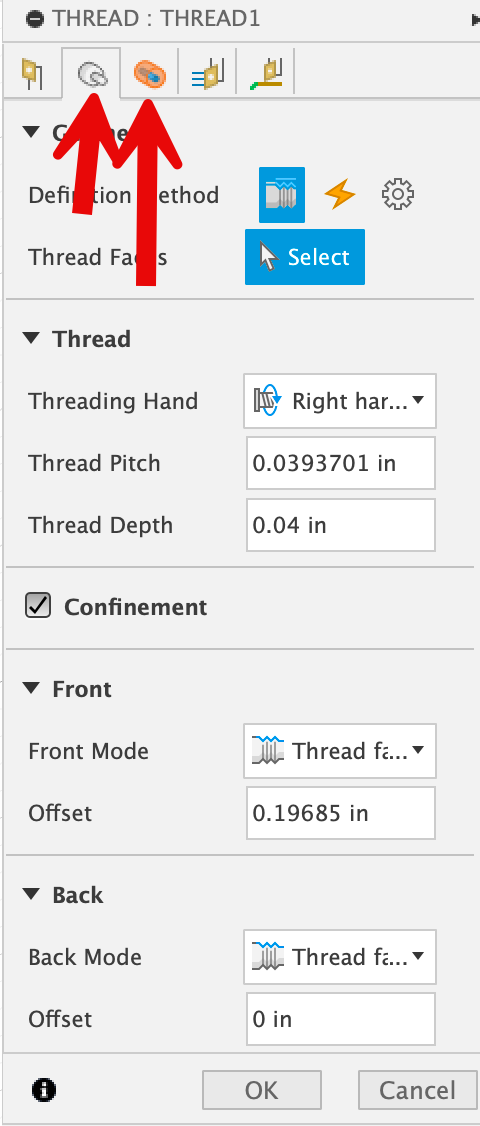
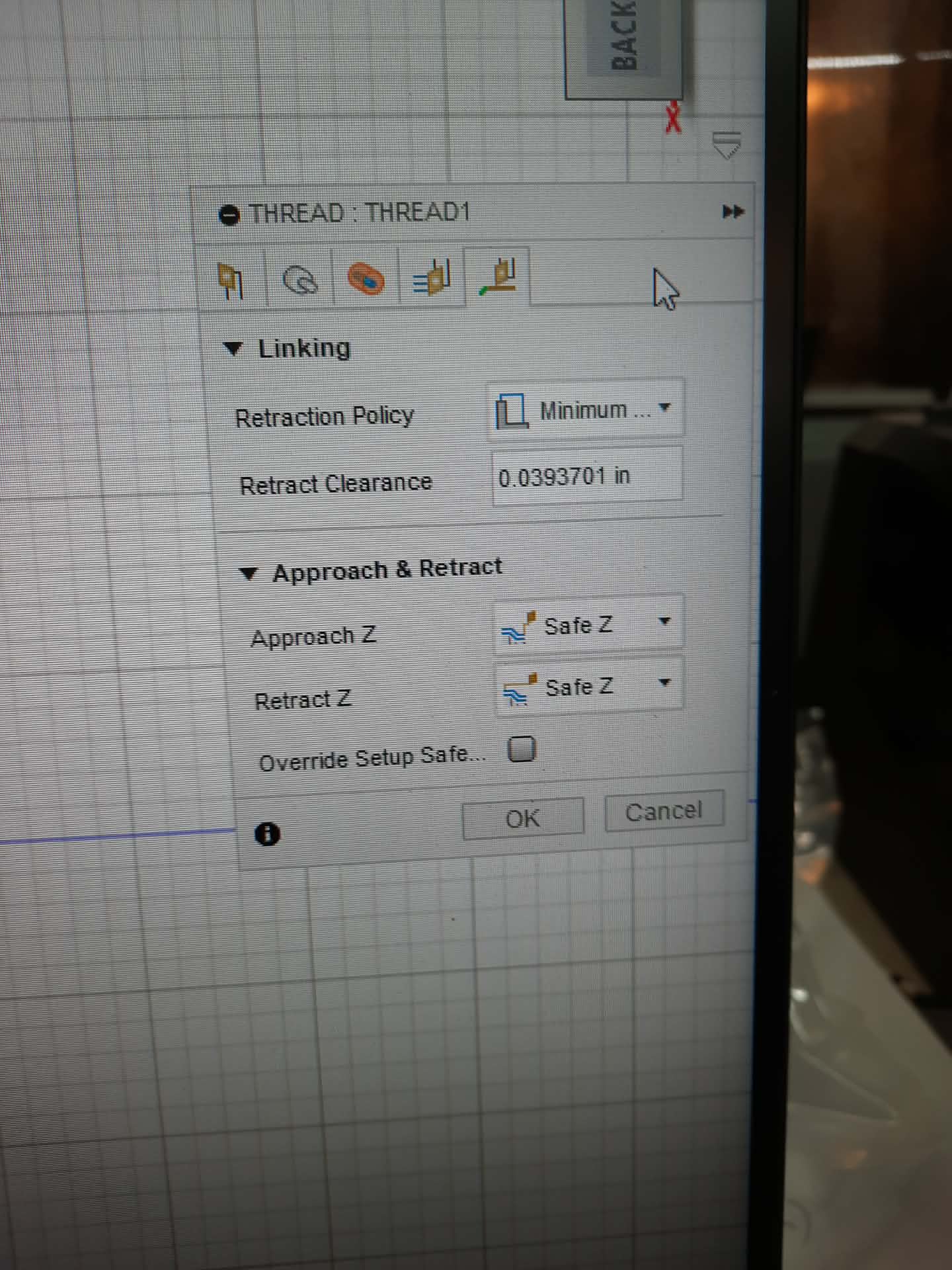
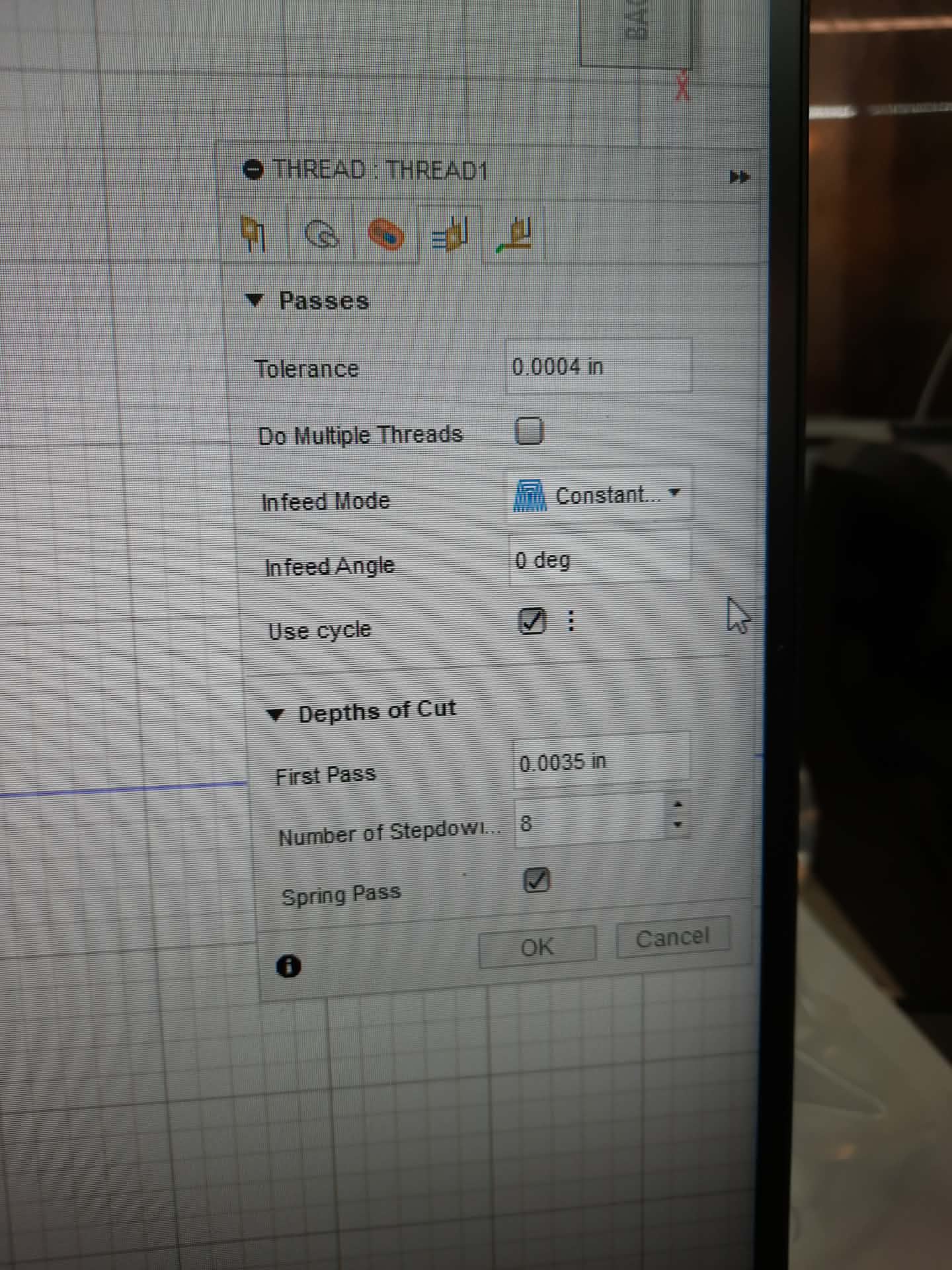
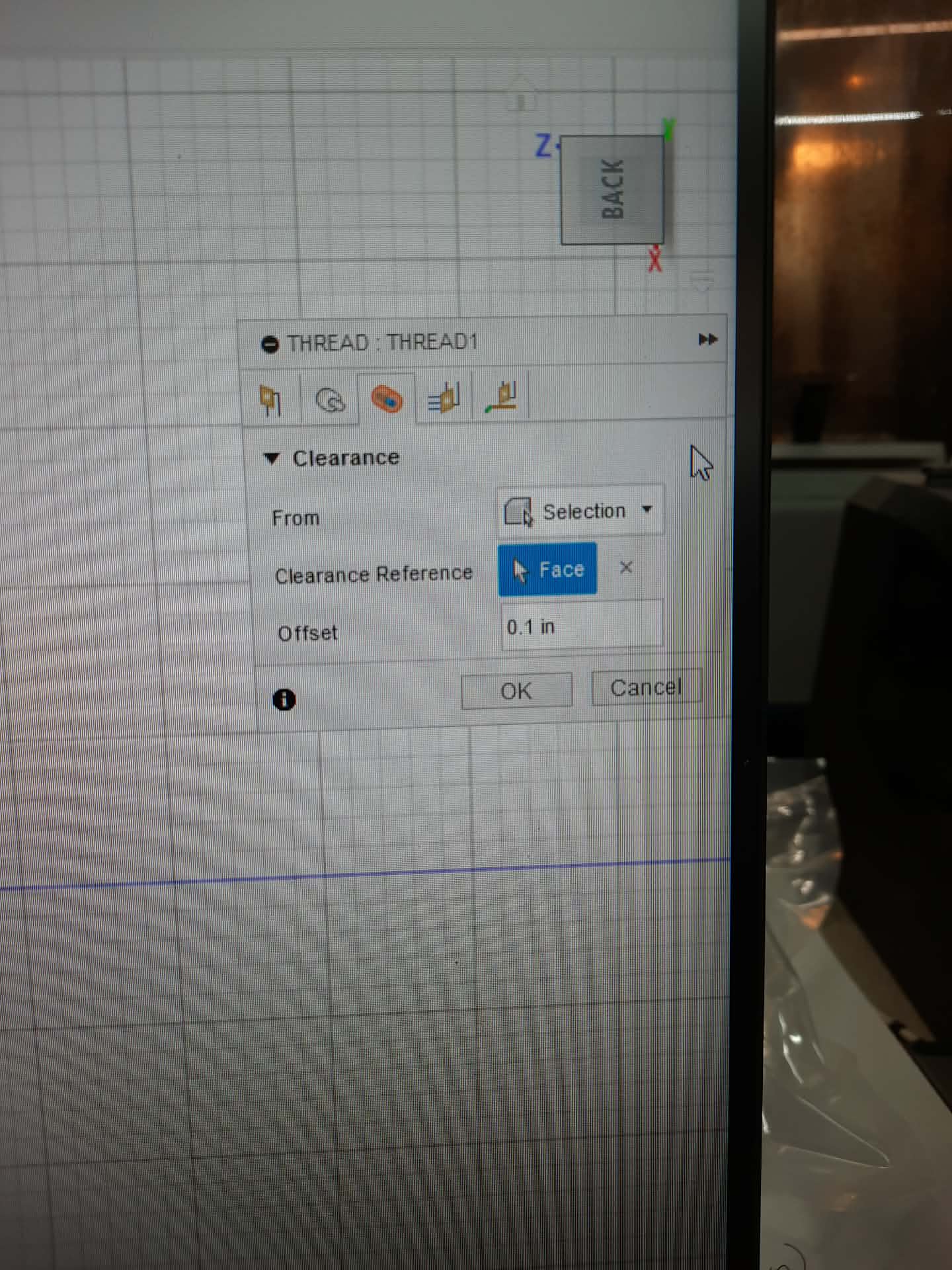
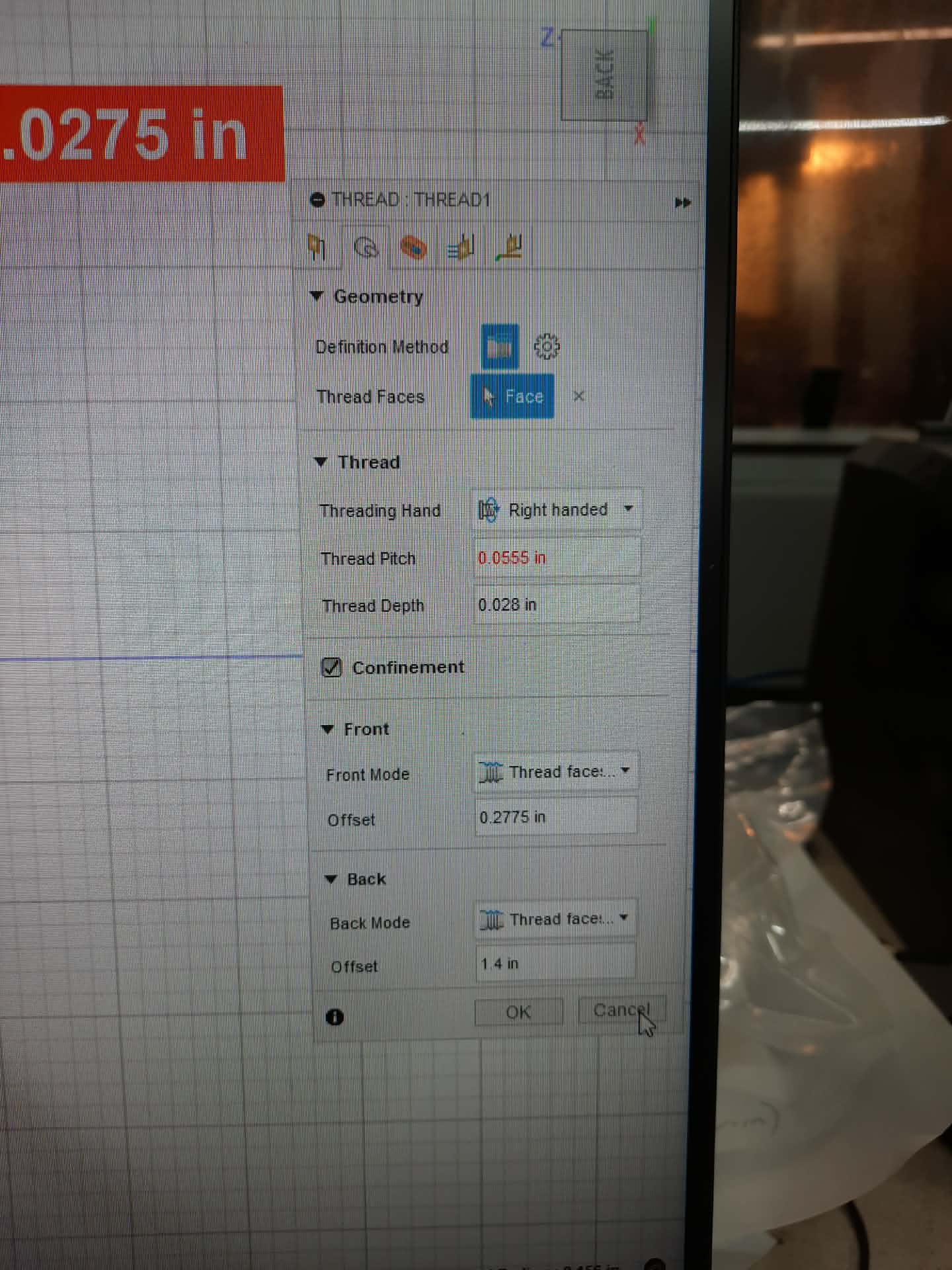
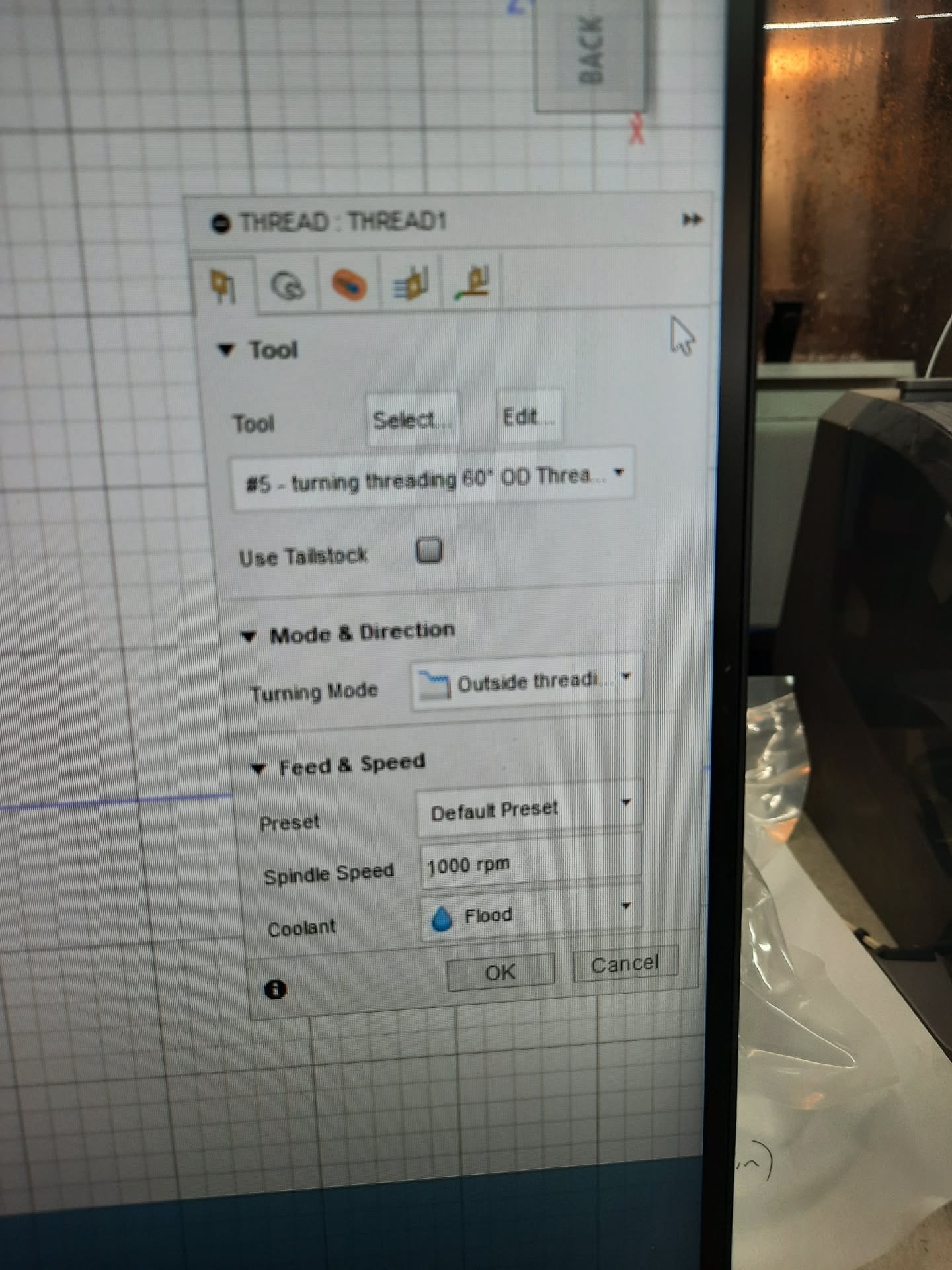
Here’s all 5 tabs for this step…
In a related matter, how did you get the nice screenshot of the Fusion Thread tabs? My computer won’t let me do a standard screenshot in Fusion and the Capture an Image from the File dropdown menu erases the tabs to allow a pic of the part. Thanks in advance.
1 Like
I use a product called Snagit for screenshots and annotating, well worth it…. I don’t see anything obvious there, can you screenshot your tool path preview illustration?
1 Like
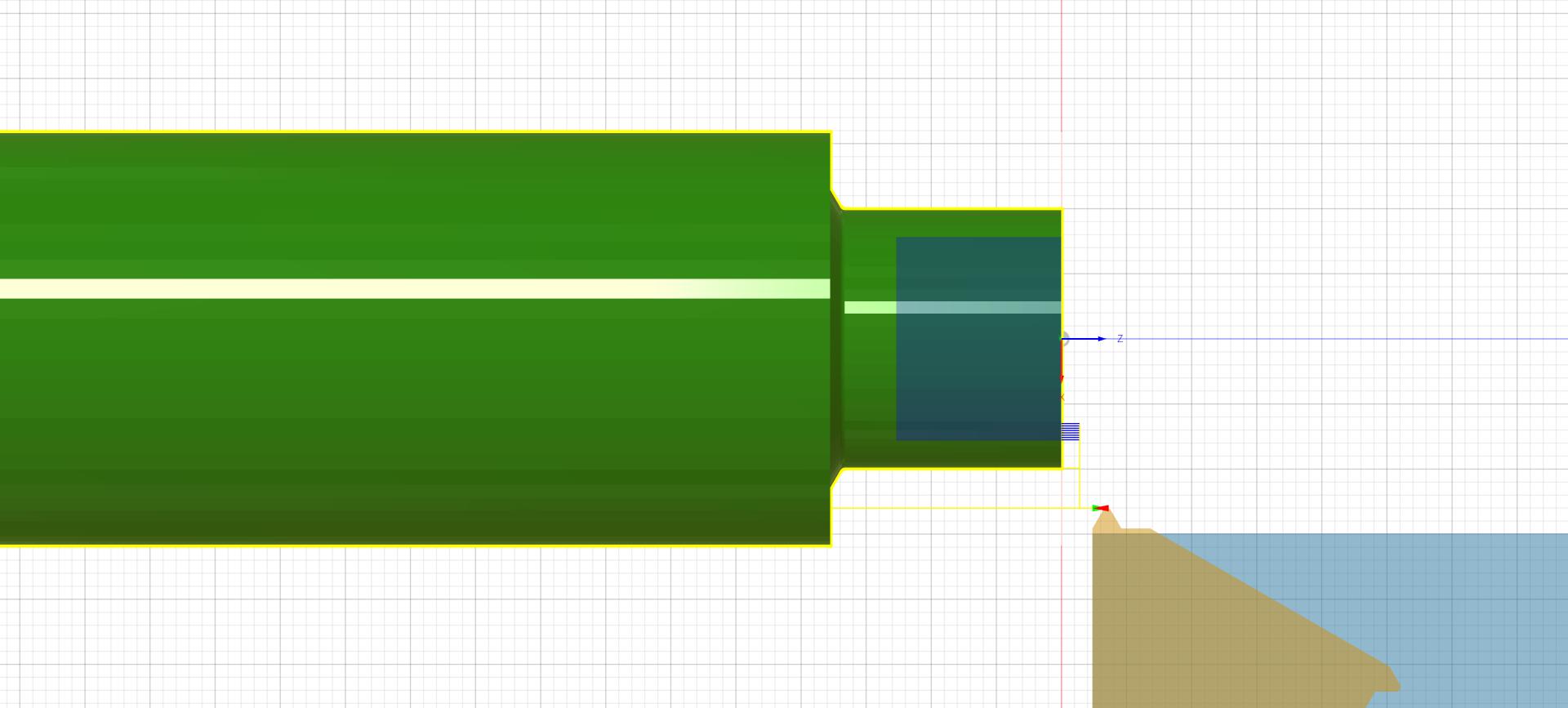
I can, but let me say this first…it previews correctly. It does approach at the X0.5125, but then drops in to the right location and cuts the model in simulation exactly as it should. I’ve done this step-by-step single-block style in simulation. We’ve just taken to removing that line before running the program, but something’s not right.
1 Like
So strange…. I wonder if it’s in the post? Have you had someone else try to post it or do it on a different computer?
1 Like
Hey!
I’ve tried it at 3 different computers and all with the same results. I do all of the Fusion updates (ALL of them) and am up to date currently. I wonder if I’m the only person in the world using Fusion to post 8L threading programs. Maybe everybody else is using the conversational approach. My background and experience is in hand coding and then Fusion and Mastercam. This is a first for me. I also think it may be in the post itself. It’s not the end of the world, but it is annoying. How do I flag a Tormach admin to take a look at it?
Jason,
We do not create any post processors, if it is a post issue Autodesk would have to diagnose what it is.
I don’t regularly use the 8L but I haven’t seen any odd issues with threading from Fusion on the 15L.
Thank you,
Norman
1 Like
What I do when faced with goofy cam code is to save the part setup with “test” added to the name of both the part and g-code file. Then set down and start changing settings one at a time in the dialogs that look to be the problem and then look at the resulted g-code generated. Makes trouble shooting cam - post code generated straight forward. You will be surprised that some setting do nothing to code and others do everything. I find you can almost trick a cam program into posting what code you want.
Chances are there is a way to fix it.
1 Like
Thanks! That sounds like a plan!
Jason